
Blender add-on · 1.0 out now
Break it. Chip it. Keep the mesh.
Spall breaks, cracks and damages meshes in Blender. Nothing is destroyed: your original stays live, and you can bake the result when it looks right.
1.0 is out · $29, or $49 in a bundle with Conduit
For Blender 5.0 and newer
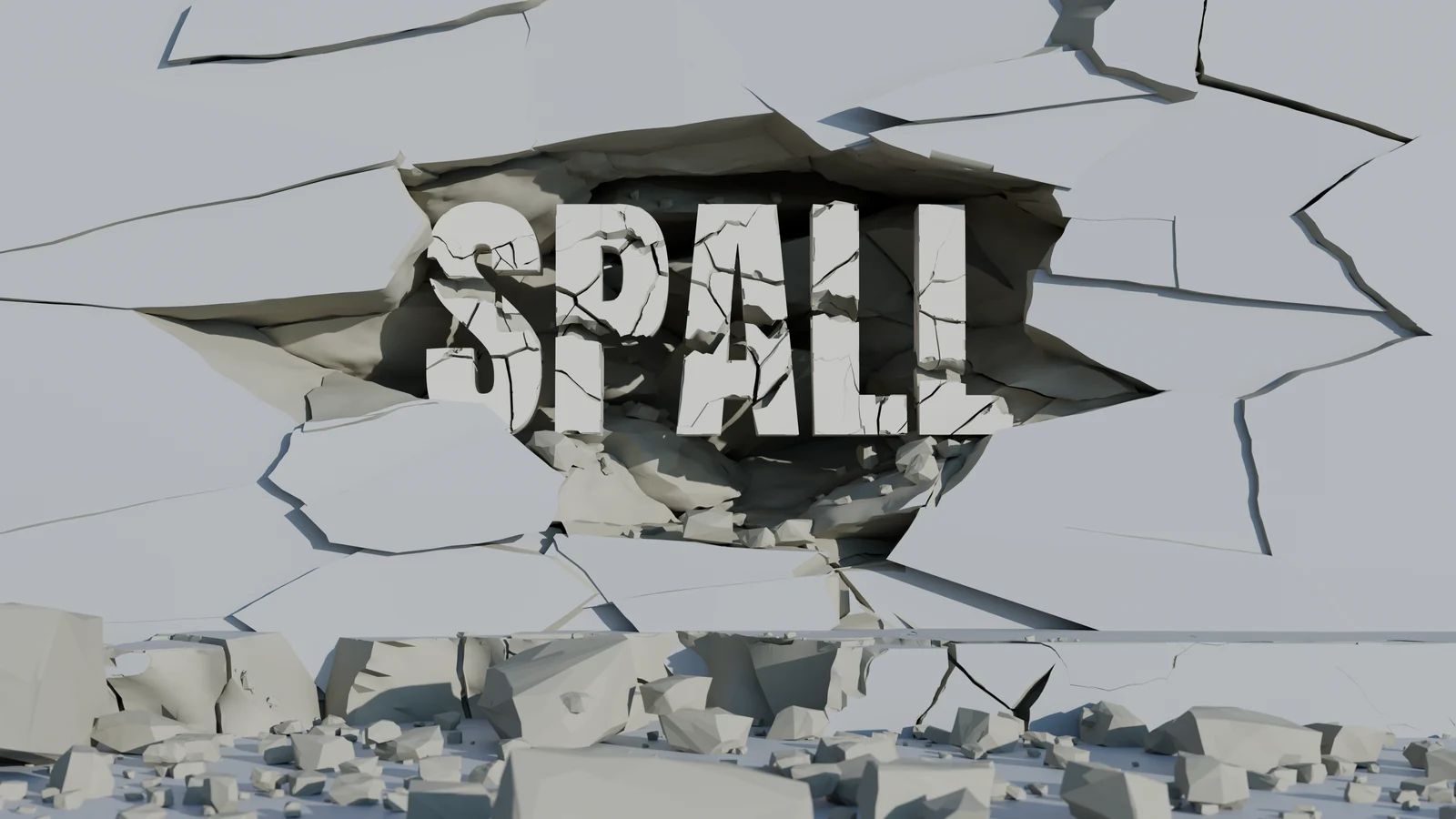
- Blender 5.0+
- Geometry nodes only
- Non-destructive
- Bakes to real geometry
Version 1.0
1.0 is out
Spall is out of early access. If you bought it early, 1.0 is a free update and it is already in your Gumroad library.
New since early access began
Rubble on the floor
A hole in a standing wall or column leaves a heap of rubble on the floor below it.
Draw a crack
Click where it starts and where it ends, and the object cracks between the two.
A broken band
Turn a crack into a band of broken pieces along its line, with holes and rubble.
Several hits on Concrete Strike
Up to ten controllers on one slab. Move one and the others stay as they were.
Edges, three ways
Edge Style picks how the edges chip: Light, Worn or Damaged.
A fast first click
The first preset in a new file takes a second or two, down from a minute or more.
One click to start
Select a mesh. Pick a preset.
Select a mesh, pick a preset from the Spall tab, and it breaks. Nothing to set up first.
Presets
Pick what it's made of
Concrete
Slabs, walls and floors, with wandering cracks, rubble and rebar.
Rock
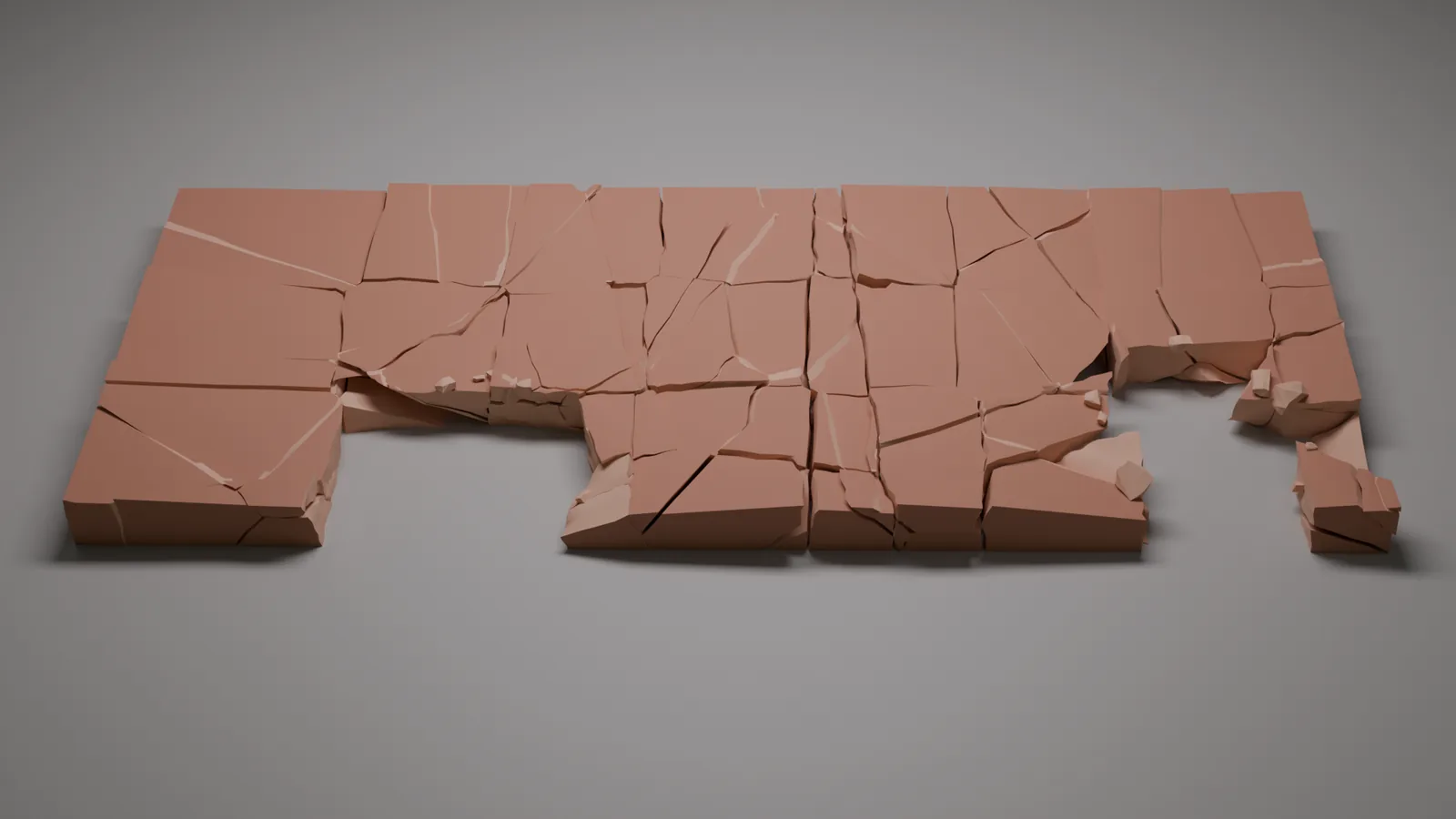
Boulders, cliffs and rock faces that split along their layers into flat, uneven slabs.
Wood Beam
Breaks along the grain. Snap it clean or splinter it.
Concrete Strike
Cracks radiate from the hit, finer and denser at the centre.
Masonry
Brick and block walls that break on their courses.
Glass
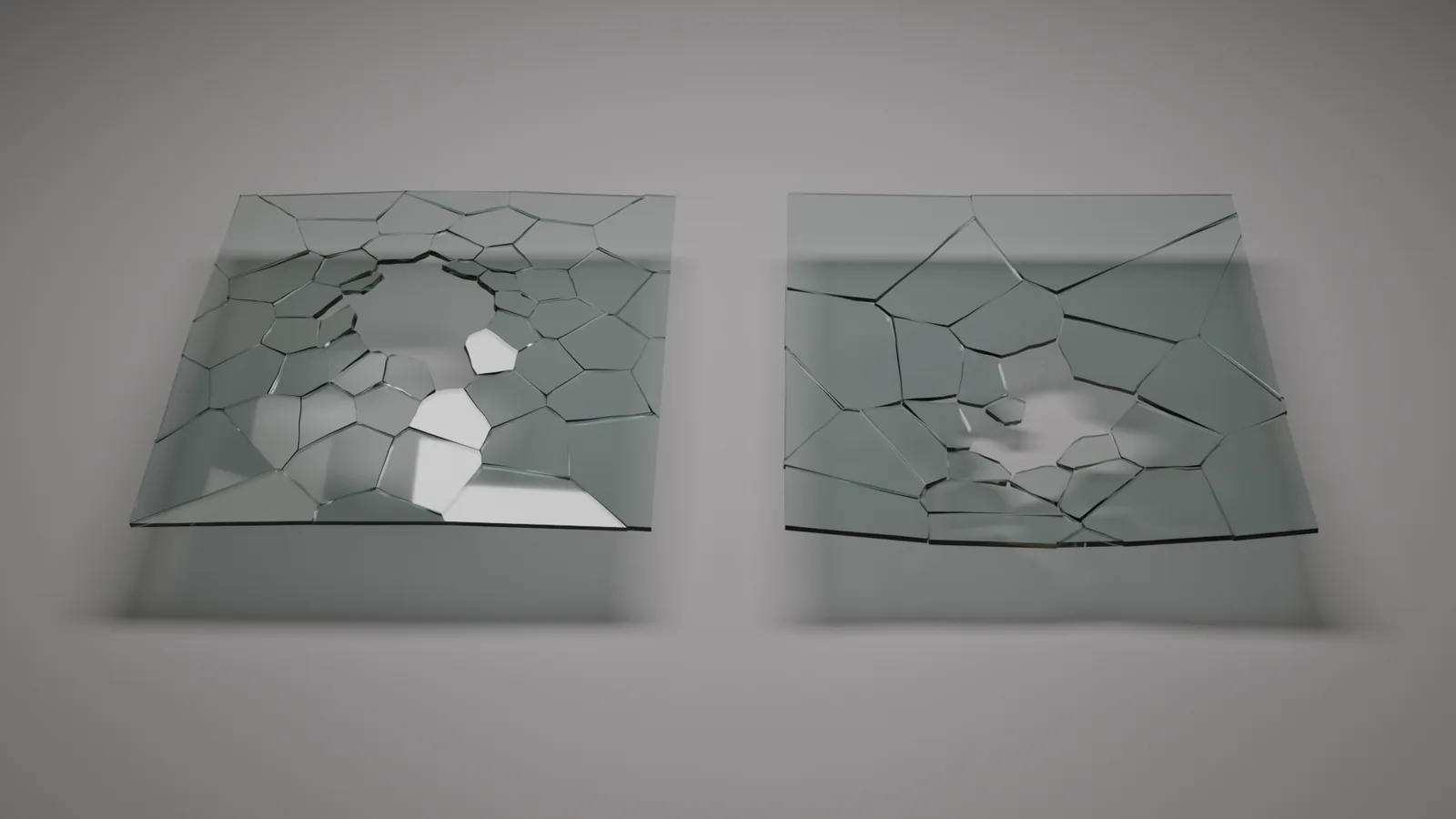
Panes and windows with a radial web of cracks.


The impact controller
Drag it to where it got hit
Move a handle and the break follows, live. Blow a hole clean through, push the pieces in, or take them out and leave a crater. Let go and it resolves to the full result.
Drag it and the break follows at once: a quick preview while you move, the full detail the moment you let go.
Surface texture
Your surface texture stays intact
When an asset breaks, the outside keeps its own UVs, so the texture doesn't shift or stretch, even around a hole. The broken faces get their own material, at the same texture scale as the outside.
Push Through
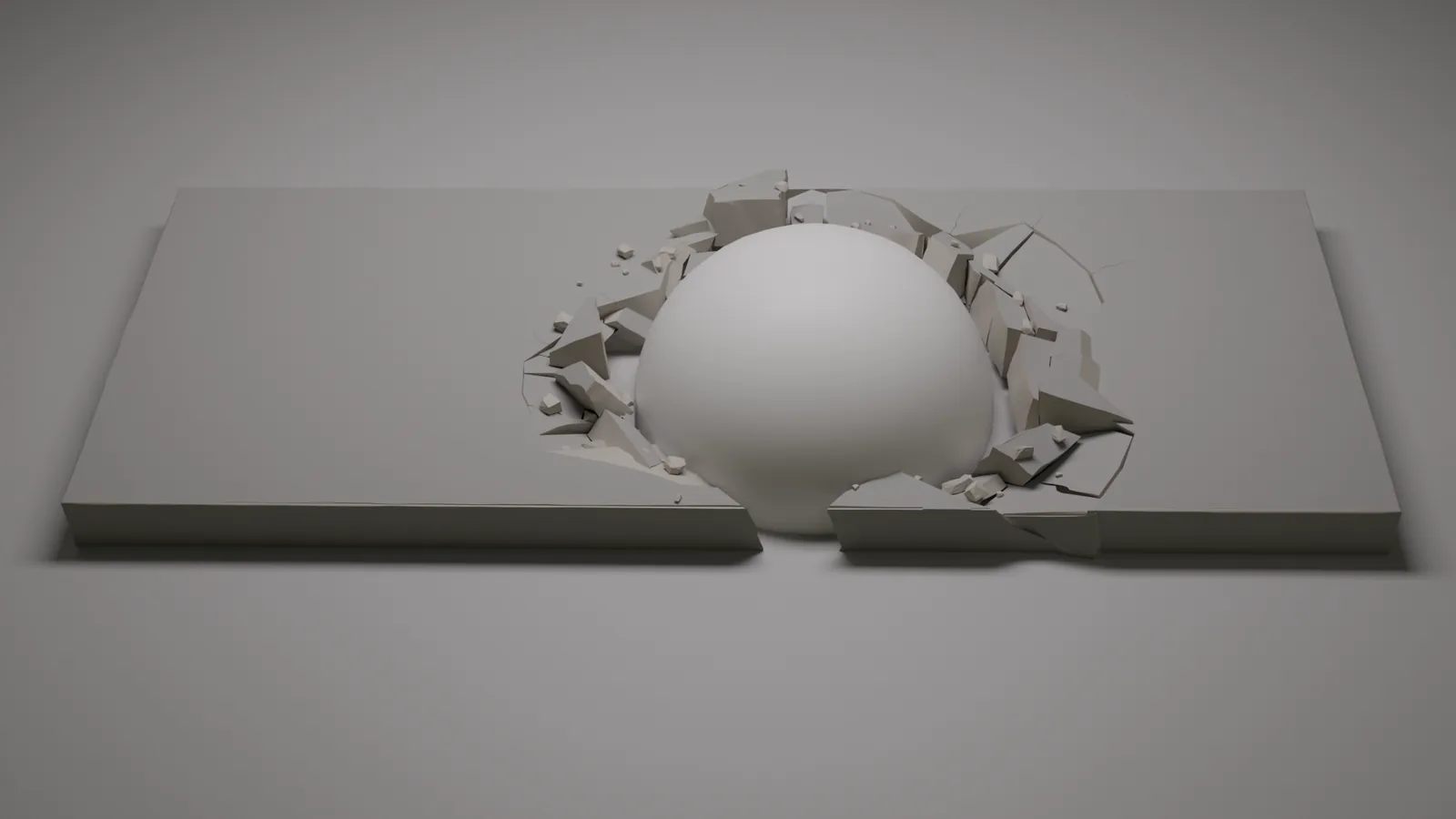
Push it in, pull it out
Drag the controller into the surface and the middle of the break goes in, as if something heavy landed. Drag it out and the pieces lift.
The aftermath
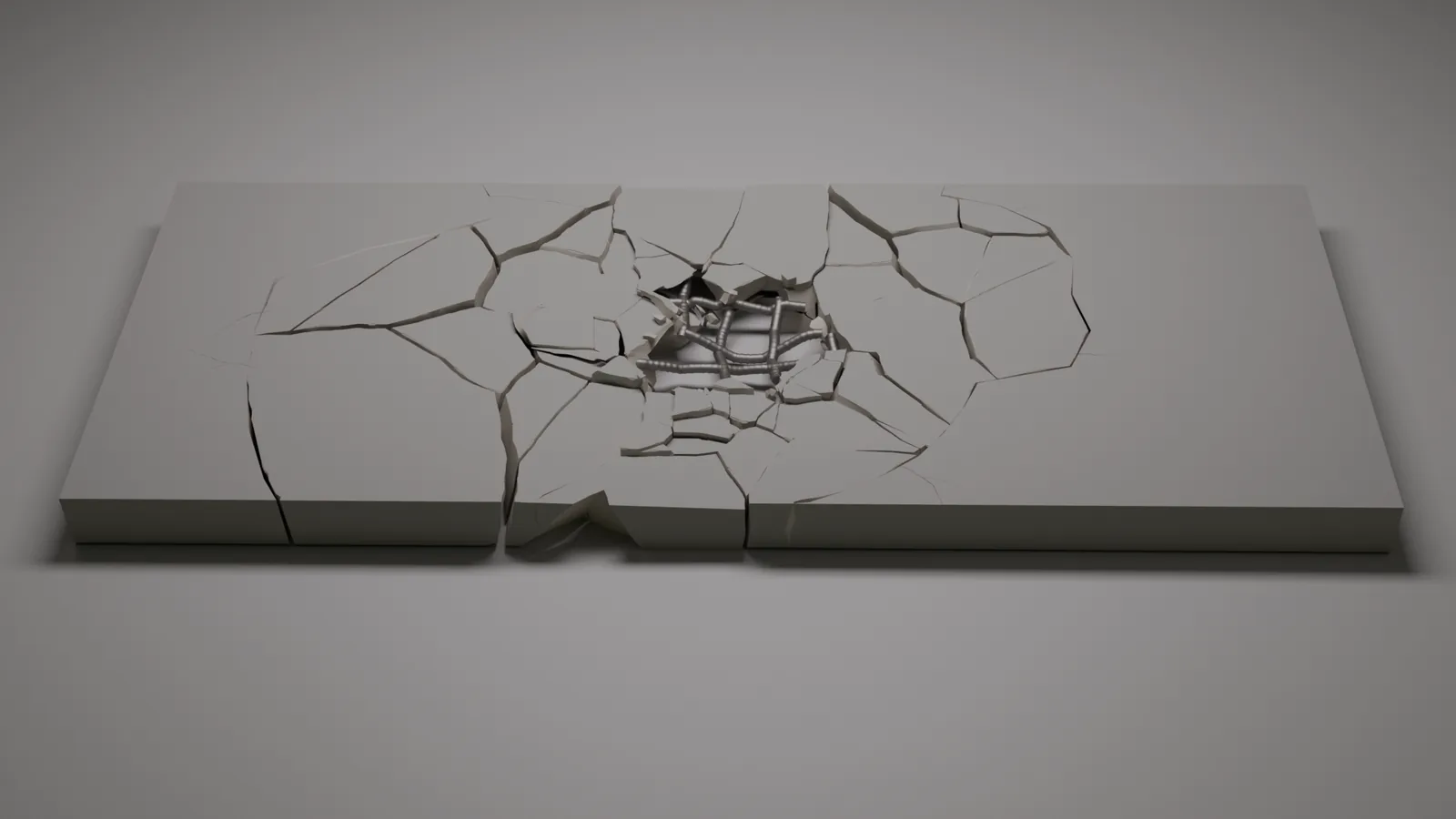
Rubble, rebar, worn edges
Broken-looking chunks scatter round the damage and steel bars bend and snap where the concrete is gone. Edges chip and wear so the break reads as real, and Edge Style picks how hard: Light, Worn or Damaged.
New in 1.0
The rubble lands on the floor
Blow a hole in a standing wall or column and a heap of rubble lies on the floor below it, on the side that was hit: a few big chunks among many small ones. The heap grows with the hole, and the reinforcement shows where the concrete is gone.
When you bake, every chunk of the heap is its own object.
Crack
Draw a crack where you want it
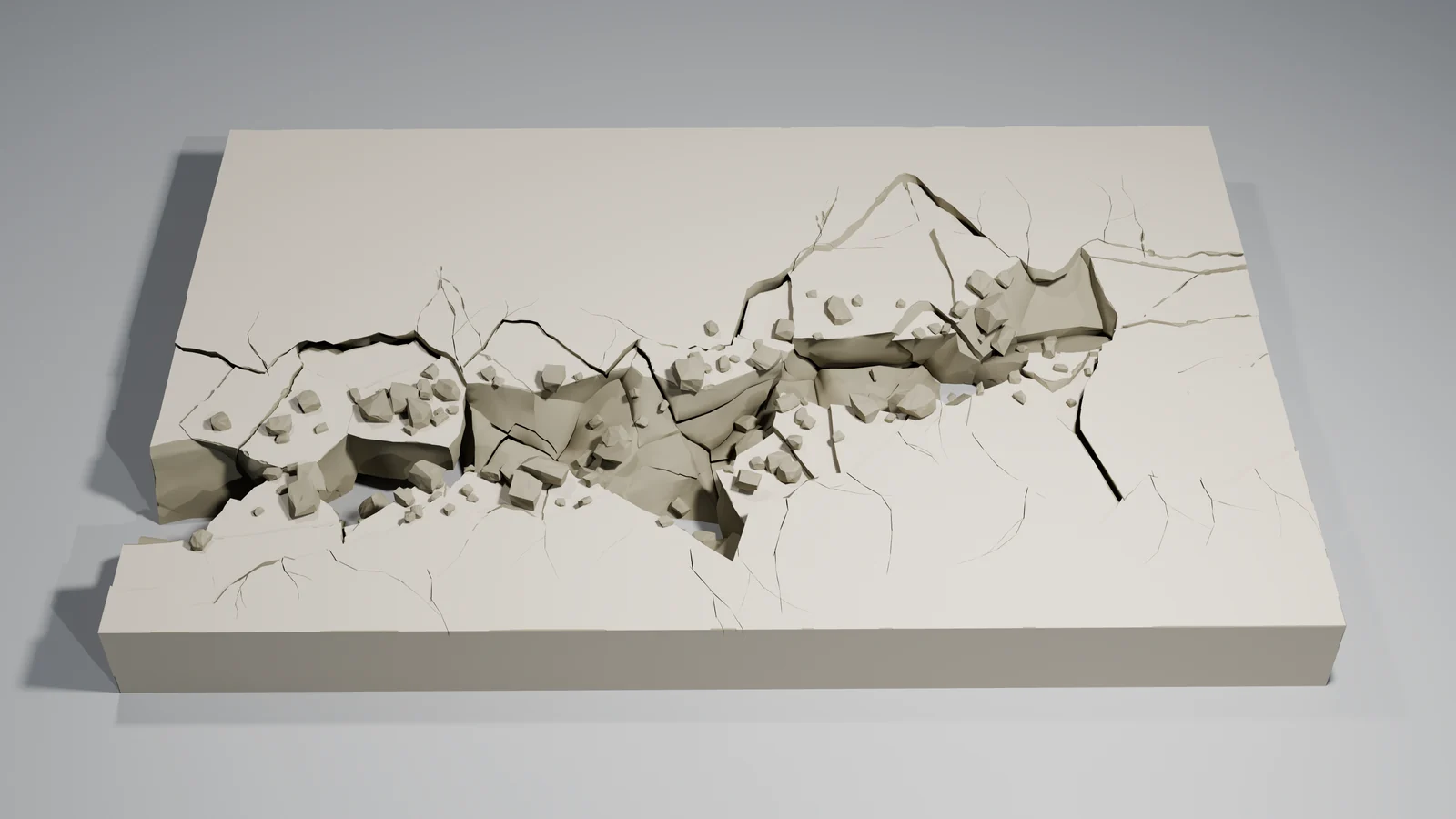
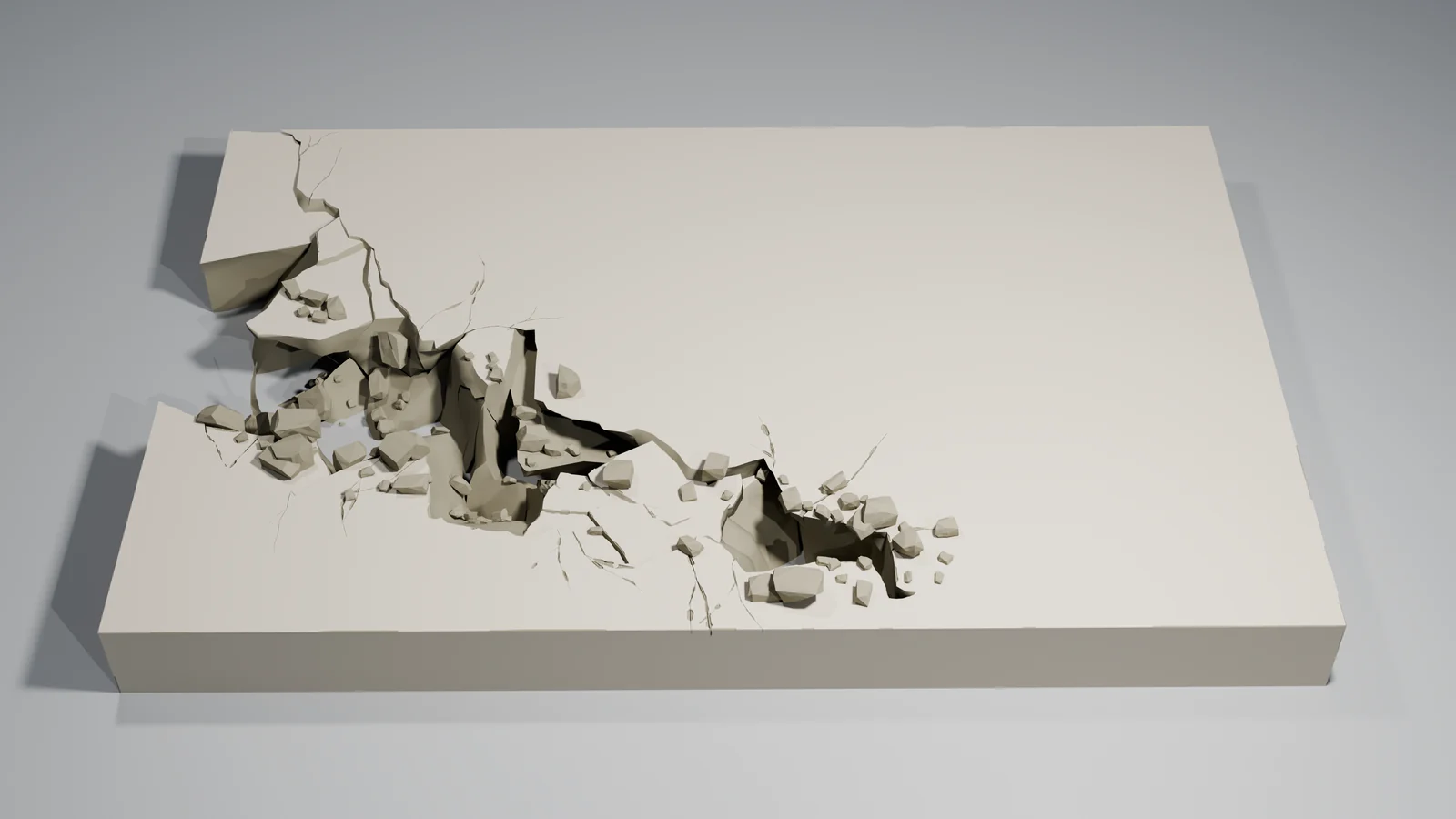
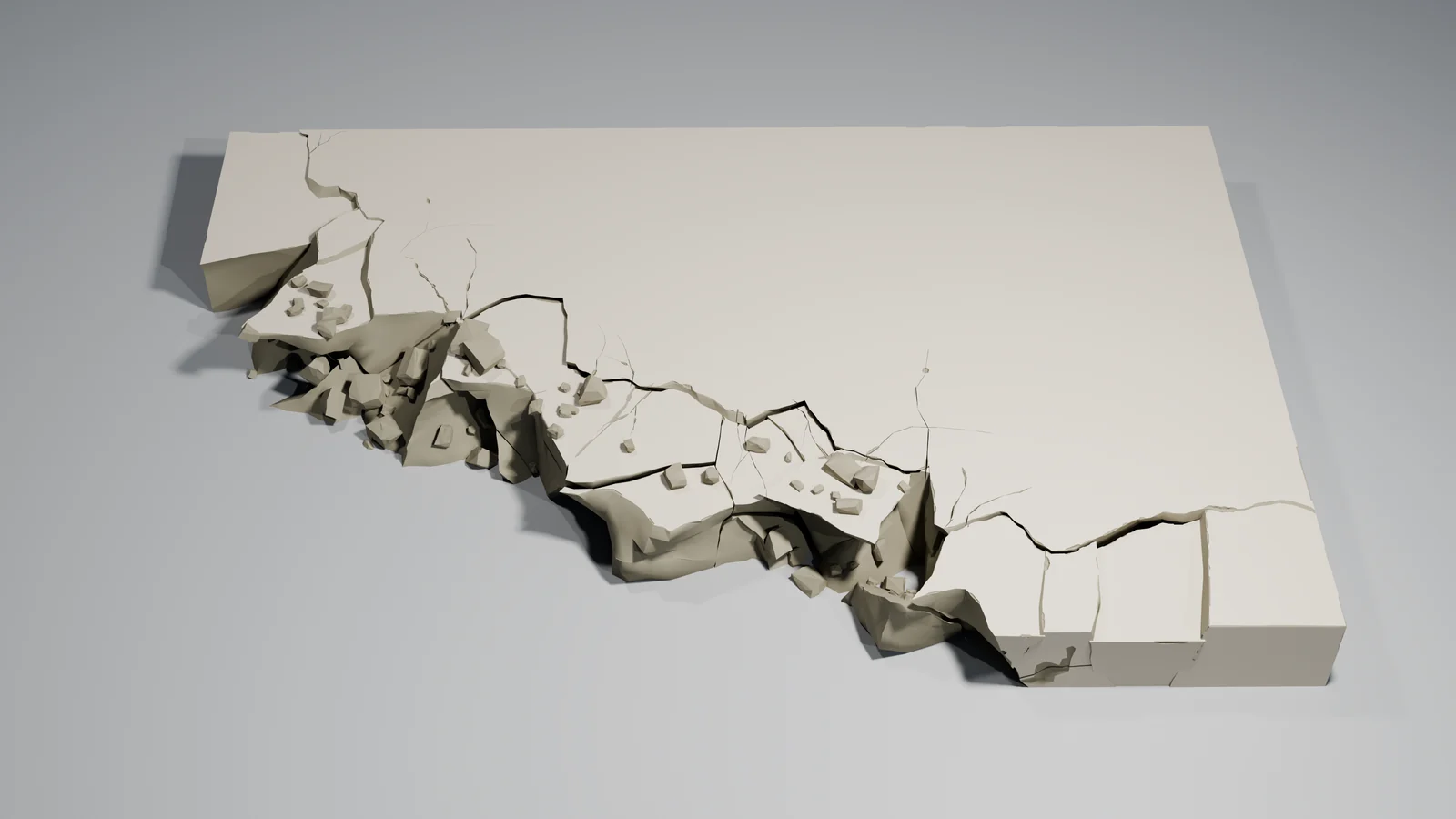
Click where the crack starts and where it ends. It can run on to the edges and split the object, or stop and narrow to nothing, and you can keep both halves or only one. Move either end and the crack follows.
Tick Broken Band and the concrete breaks along the line: broken slabs either side of the crack, a few knocked out with rubble, and the bars showing where pieces are gone.
Materials
Ready for your materials
Broken faces get their own material, and textures run on across the cracks. Shader masks for the broken faces, depth into the piece and a random value per piece come with it, so one material does the whole break.
Bake
Bake with a clean UV unwrap
Bake Shards to Objects can unwrap every piece into one shared UV map at the texel density you choose. Paint it, bake AO or curvature into it, or take the pieces into a game engine. If the pieces don't fit your texture size, Spall tells you which size will hold them.
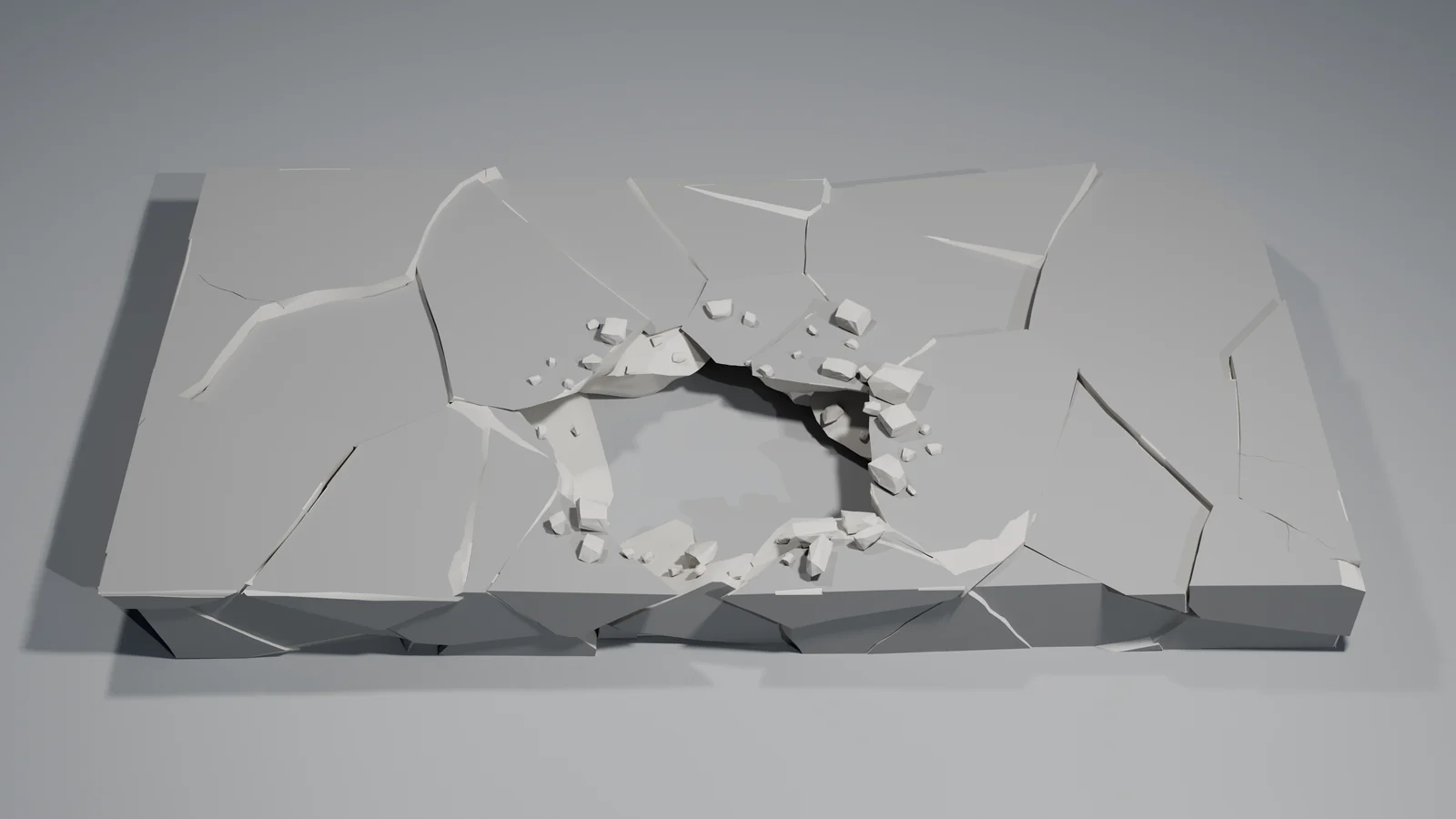
Rock
Rock that splits in layers
Boulders, cliffs and rock faces that split along their layers into flat, uneven slabs.
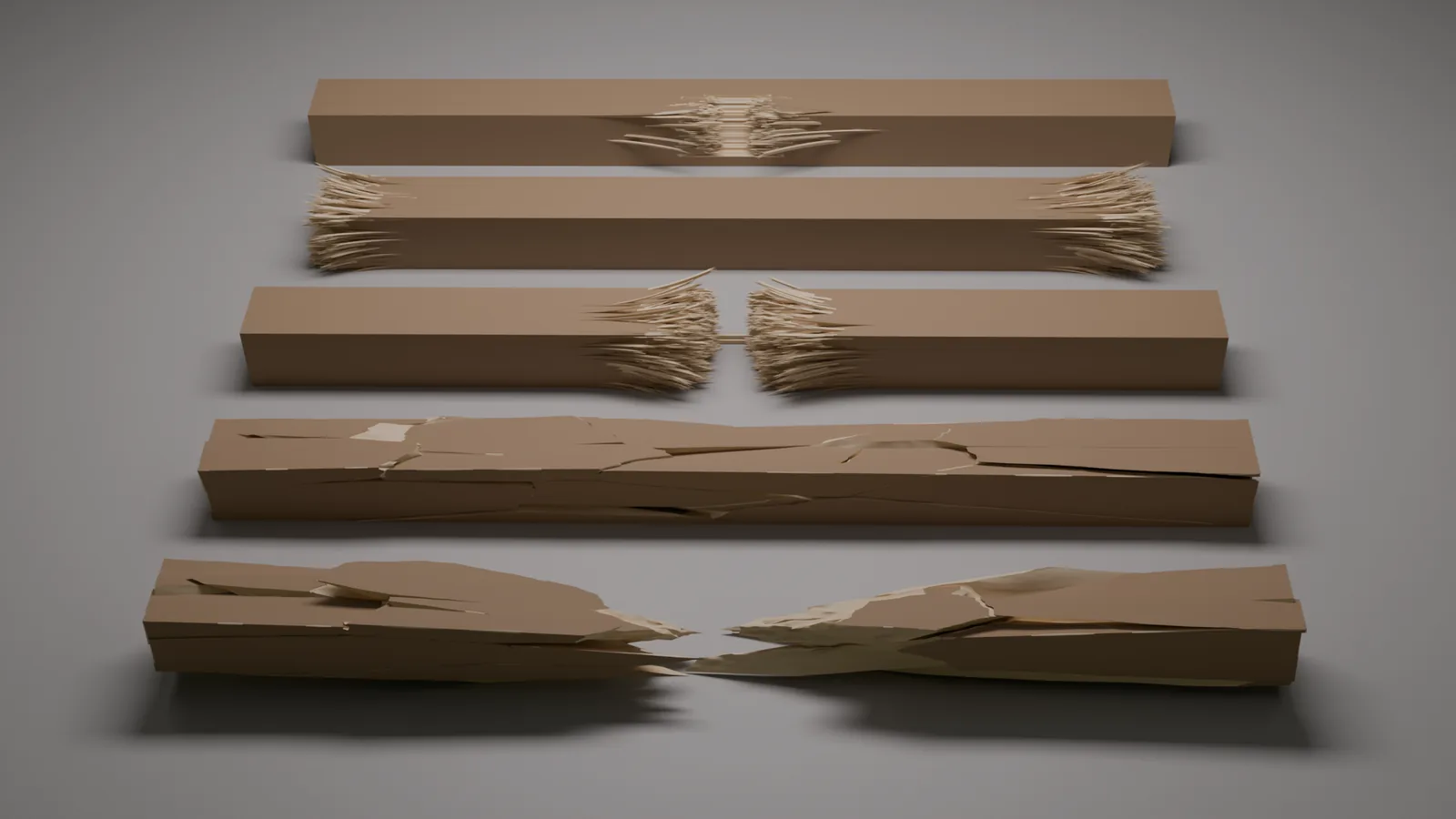
Wood
Beams that splinter
Fibres tear out into pointed stubs, a hard hit snaps the beam in two, and the broken halves sag under their own weight.
Keep the source
Nothing is destroyed
Your original mesh stays live and every break is a modifier you can dial back. When it looks right, bake it to separate pieces for a rigid-body sim or a game engine.
Only Here
Break just one area
Only Here breaks a zone round the hit and leaves the rest of the object whole, with a ragged, cracked edge between them.
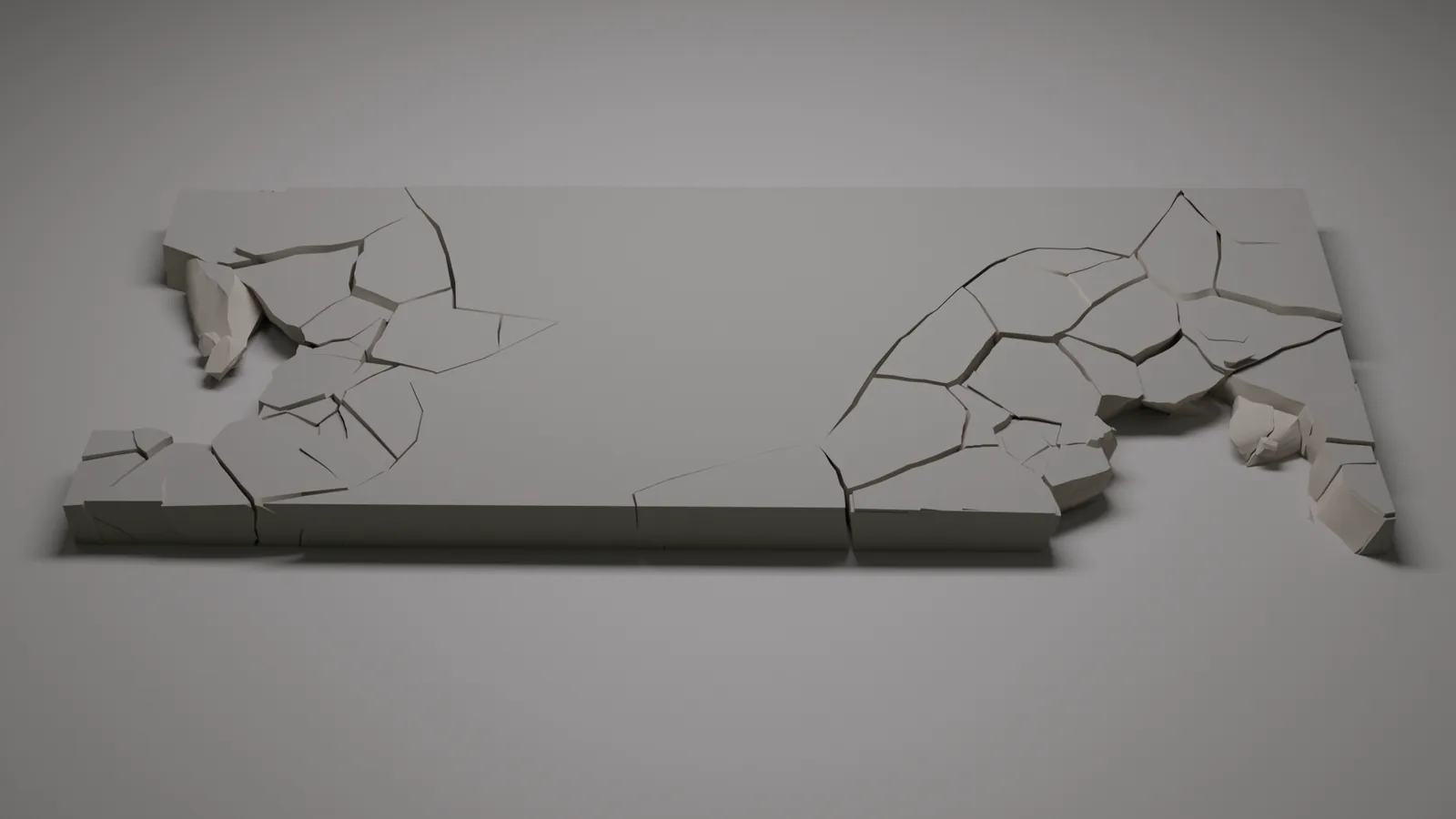
More than one
Hit it twice
Add as many impact handles as you like to one object. Each gets its own hole, rubble and settling, all in a single break, so nothing is broken twice. Works on Concrete, Concrete Strike, Rock, Masonry and Wood Beam.
Specs
The details
| Version | 1.0 |
|---|---|
| Blender | 5.0 or newer, tested on 5.0 and 5.2 (5.2 LTS recommended). Crush Corners (Concrete Strike) needs Blender 5.2 or newer. On Blender 5.3.0, Concrete Strike can crash Blender (a Blender bug); use 5.2 LTS for Concrete Strike for now. |
| Presets | Concrete, Rock, Wood Beam, Concrete Strike, Masonry, Glass |
| Built with | Geometry nodes only, no extra software |
| Output | Live modifier result, or baked to separate meshes |
| Price | Individual $29. Studio (up to 10 artists) $89. Pick the licence at checkout on Gumroad or Superhive. |
| Where to buy | Gumroad or Superhive |
| Support | spall@3dartstuff.com |
| License | GPL-3.0-or-later |
Questions
FAQ
Does it destroy my mesh?
No. The original stays live and every result is a modifier you can dial back.
Can I use it in a game or a sim?
Yes. Bake the result to separate pieces, with the topology cleaned up on the way out.
Do I need an external solver?
No. It's built entirely from geometry nodes.
Does it work on my own models?
Yes, on any closed mesh. Glass also takes a single plane.
How heavy is it?
A few seconds for a full break of a 3 m slab on a normal PC, and a quick preview while you drag.
I bought Spall in early access. Do I pay for 1.0?
No. 1.0 is a free update, and it is already in your Gumroad library.
Will it work in older Blender?
Spall needs Blender 5.0 or newer.
Does it work on Blender 5.3?
Every preset except Concrete Strike. On Blender 5.3.0, Concrete Strike can crash Blender (a Blender bug), and Spall says so in the sidebar. Use 5.2 LTS for Concrete Strike for now.
Can I texture-paint or bake maps on the pieces?
Yes. When you bake, Spall can give every piece one shared, non-overlapping UV map at the texel density you pick. Your materials keep using the object's own UVs.
Will my textures still line up after a break?
Yes. The outside keeps the object's own UVs, so the texture stays where it was.
Buying for a team?
The Studio licence covers up to 10 artists, with priority email support and an invoice in your studio’s name. Pick it at checkout on Gumroad or Superhive. For more seats, email spall@3dartstuff.com.
How do I get help?
Email spall@3dartstuff.com.
Smash something.
$29USD
1.0 is out. A free update if you bought Spall in early access.