Blender Add-on · v1.1.0
Record your modeling session. Replay it. Teach with it.
Need notes, chapters, a directed camera and a written guide? SceneCast Pro →
Open source — code & releases on GitHub ↗
Every control explained — Panel guide →
See it work
What it does
SceneCast watches how you work and turns it into something you can replay, scrub, and share — no screen recorder, no manual editing.
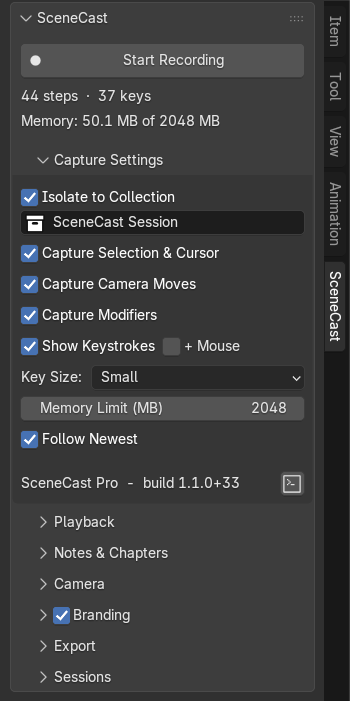
Every settled edit becomes a step: geometry, object transforms, selection, the 3D cursor, pivot, and the keys you pressed. Selection changes and camera moves can be captured as their own steps too, so nothing between edits is lost.
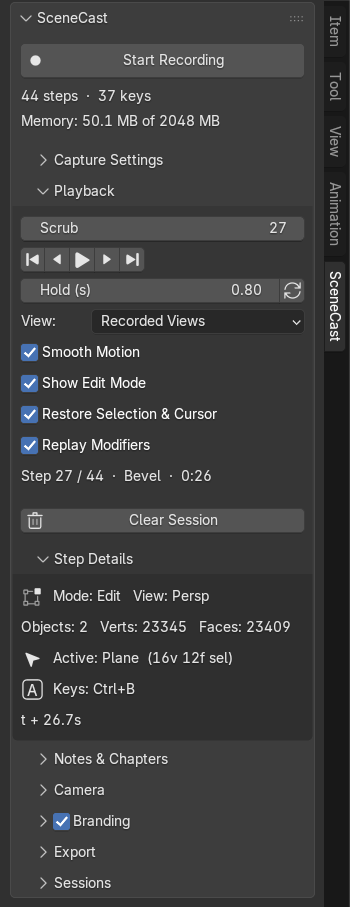
Rewind to any moment with the Scrub slider, or step through one edit at a time. The panel tells you where you are — step count, the operator that ran, object and vert/face totals, and the keys for that step.
One View setting decides where the camera sits for both playback and export: Current View, Recorded Views, static Front / Right / Top orthographic, or your Scene Camera. Static views frame on the final step, so the model grows into frame.
Geometry, transforms and camera glide between steps instead of snapping, so moves and edits read like the real drag rather than an eased keyframe. Applies to Recorded Views, where there are angles to move between.
Steps recorded in Edit Mode replay with the edit cage and your original selection highlighted, so viewers follow the topology, not just the result. Off by default — it enters and exits Edit Mode as it plays.
Screencast-style keys on screen, live while recording and per-step during playback, labelled with the operator that ran and collapsing repeats into a counter. Three overlay sizes, optional mouse clicks, and its own placement setting for exported video.
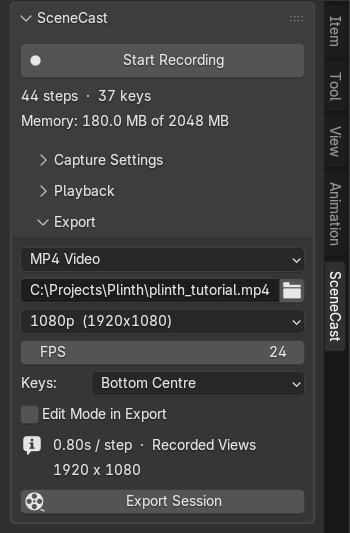
MP4 or a numbered PNG sequence rendered straight from the viewport at the FPS you choose, at 720p up to 4K, Vertical 1080×1920 for Shorts, Reels and TikTok, Square, or a custom size. The export runs at the speed you previewed.
Modifier stacks are recorded and replayed, so the Mirror, Bevel and Subdivision Surface you add show up in the video the way they looked in your viewport.
A memory readout and limit stop recording safely before a long session can crash Blender. Recorded objects sit in their own collection while you work and go back where they came from when you clear the session.
The workflow
Hit Start Recording in the SceneCast sidebar tab and just model. Steps accumulate live, with a running count of captured steps and keys.
Scrub or play the timeline, set how long each step holds, and pick the View you want to watch it from — recorded, static, or your scene camera.
Choose MP4 or PNG sequence, set the FPS and output path, and render. The export uses the timing and view you just previewed.
SceneCast is free and open source (GPL-3). Download it, use it, keep it. If it saves you time, you can name your own price when you download — entirely optional, and it funds the next version.
Pay nothing, or pay what you think it's worth — same add-on either way.
Free vs Pro
Free records your session. Pro adds the panels that turn it into a finished tutorial.
In Free 4 panel sections
Pro adds 4 more sections and a bigger Export

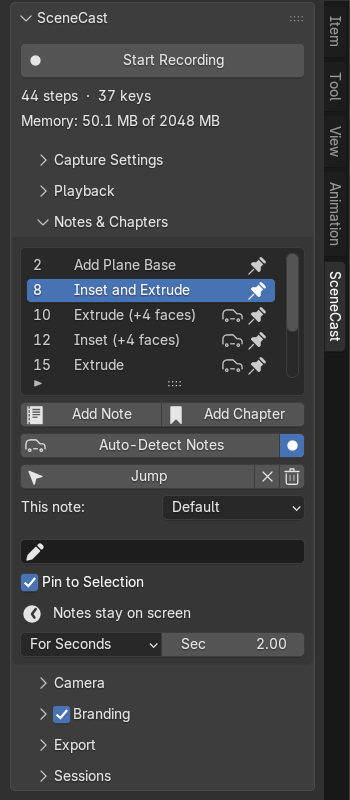
Captions, notes pinned to a point in the scene, and chapters as title cards.

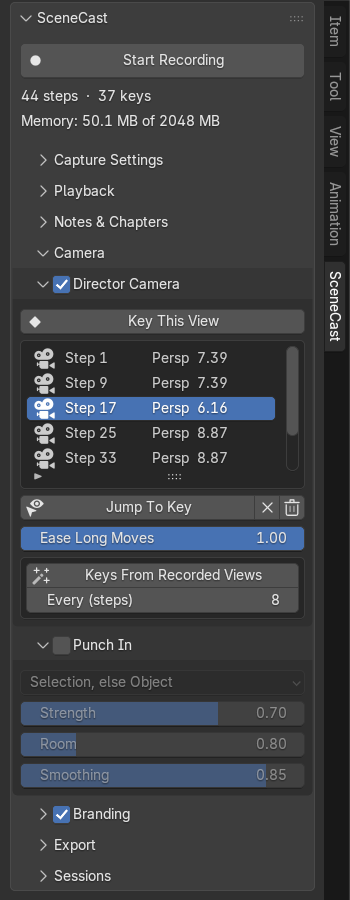
Director Camera keys, then Punch In on the part being worked on.

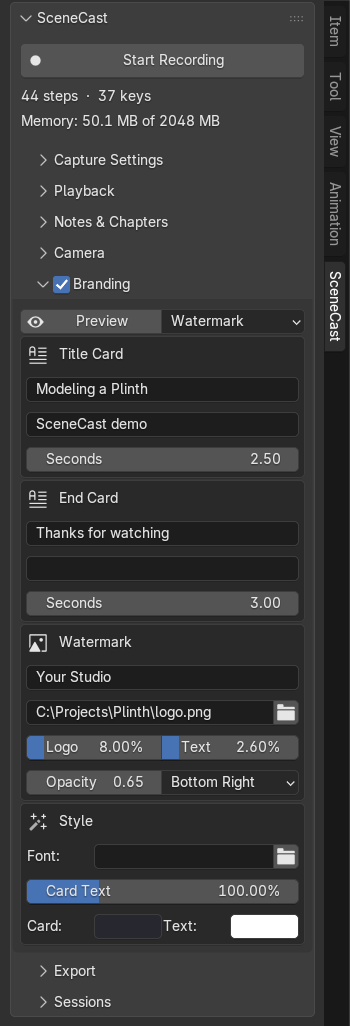
A title card, an end card and a watermark.

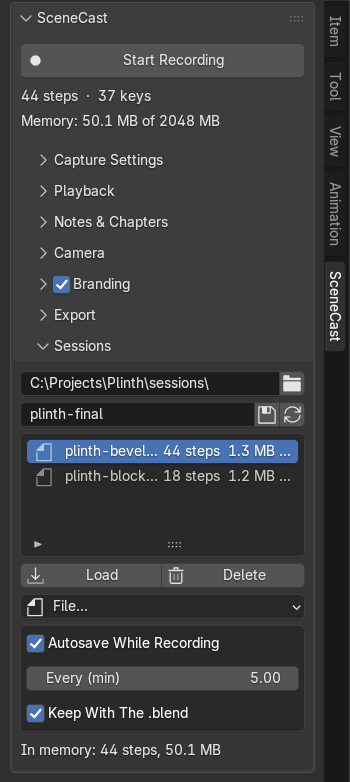
A library of saved takes, autosave while recording, and saving with the .blend.

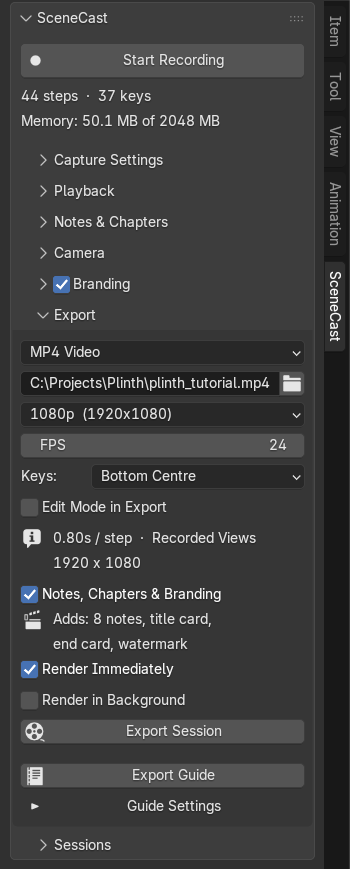
Notes, chapters, branding, background rendering and the written guide, from the same box.
SceneCast Pro is out — notes, chapters, director camera, branding and a written guide from every recording. $19 launch price until Oct 15.
See SceneCast ProQuestions
Blender 4.2 or newer. SceneCast ships as a Blender extension, and 4.2 is the release that introduced them.
In Blender, open Edit → Preferences → Get Extensions, click the ⌄ at the top right, choose Install from Disk… and pick the downloaded zip. Enable it if it isn't already, then find the panel in the 3D viewport sidebar (N) under the SceneCast tab.
That's expected — nothing has gone wrong. SceneCast installs as an extension, so it appears under Extensions rather than the legacy Add-ons list. Installing from disk works fine without it being listed on Blender's extensions platform.
Not in Free. A session lives in memory for as long as Blender is open and is not saved into your .blend file. SceneCast Pro saves and autosaves sessions.
Nothing — you get the same add-on either way. The free build is complete and open source (GPL-3); naming a price simply supports development. (SceneCast Pro is a separate paid build that adds notes, chapters, camera direction, branding and guide export.)
Open an issue on the SceneCast GitHub repository. Bug reports and feature ideas are welcome.